

3D Scanner
In the Media Lab we are setting up a 3D scanner service, currently we are testing and investigating how to implement this service. This includes best practices, optimization and a solution to export and or publish your model in format or formats suitable for several applications.
A handheld 3D scanner is a device that uses lasers and cameras to capture the shape and texture of an object, and then creates a 3D digital model of it. These scanners have become increasingly popular in recent years due to their ability to quickly and easily capture detailed 3D data of a wide range of objects, from small figurines to large industrial parts. Handheld 3D scanners are used in a variety of industries, including manufacturing, engineering, and design. They can also be used for artists who want to create digital models of their creations.
Handheld 3D scanners have a wide range of applications, such as:
- Reverse engineering
- Quality control and inspection
- Rapid prototyping
- Archiving historical artifacts
- Cultural heritage and conservation
- Artistic creation
- Education
The Scanner available is the Creaform Go Scan.
This is a fast user-friendly handheld 3D scanner that works with lights and cameras. Ideally, it is used for objects as small as approximately 5 cm, up to objects measuring roughly 2 meters, Because it has a cord which is little over 2 meters long.
“ 3D scanners are used in a variety of industries, including manufacturing, engineering, and design.”
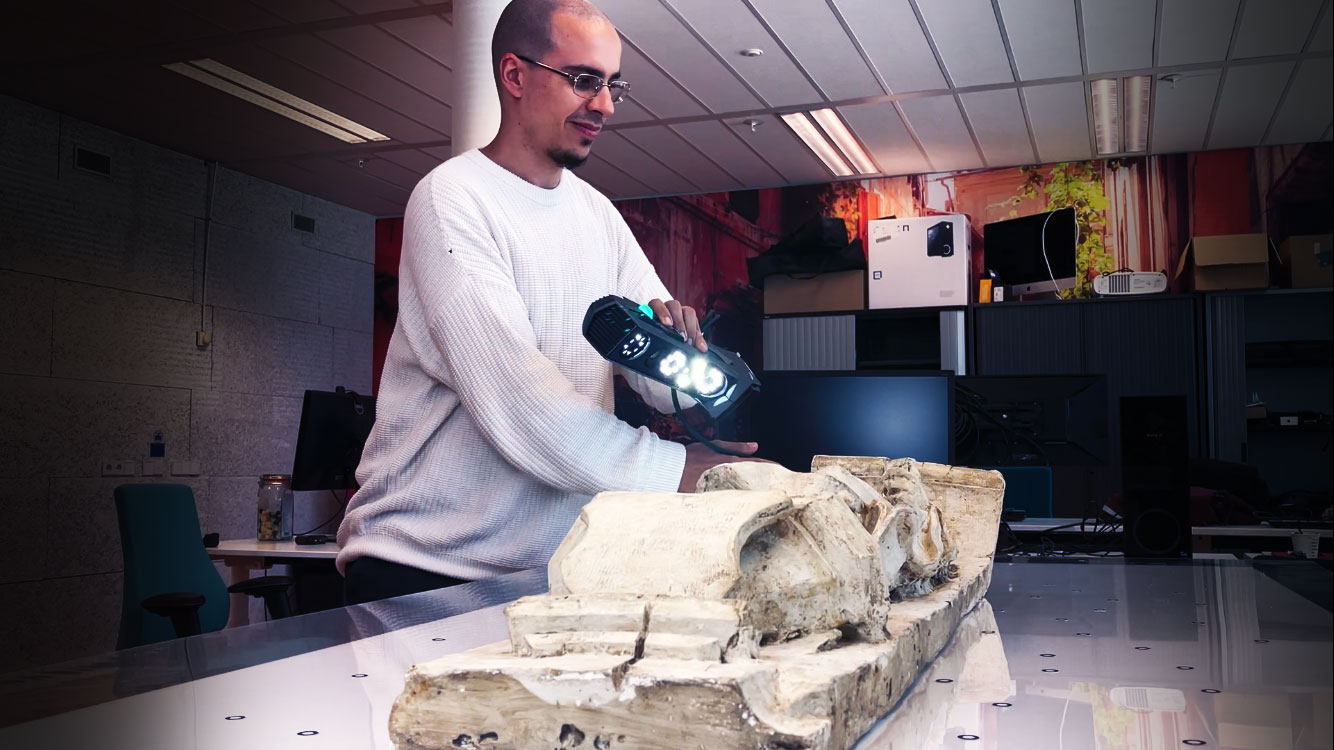
Having the scanner is the easy part, but creating instructions to make it user friendly is a challenge that requires a lot work. several sessions have been done with test users and after a few paper versions the first instruction video is being created for new run.
After the scanning a huge amount of data is created and Sharif is finalizing an Application build to do an automated optimization where the model can be converted to more usable formats like glTF and FBX accompanied with PBR materials.
If you have questions, ideas or suggestions do not hesitate to contact us.
Initiator: Vincent Cellucci
Coordinator: Roland van Roijen
Developer: Sharif Bayoumy
Use Case Research: Geertje van Achterberg